> ## Documentation Index
> Fetch the complete documentation index at: https://docs.getprova.com/llms.txt
> Use this file to discover all available pages before exploring further.
# Budget Planning
> Learn how to use Budget Planning to define the monthly budget source of truth that powers recommendation runs.
## Overview
Budget Planning is the operating page where future monthly budgets are entered and maintained.
This page matters because recommendations are only as useful as the planning budget they are built from. Budget Planning creates the spend envelope that later flows into recommendation runs.
## What the page does
Budget Planning lets a team:
* define the upcoming months in scope
* enter the monthly budget for each period
* review status and source information
* apply channel-level spend guardrails through constraints
* control the day of the month when the next budget should go live
* keep the active plan aligned as new data continues to enter the platform
## How to use it
The normal workflow is:
1. enter or update the monthly budget for the periods ahead
2. review constraints for channels that should be capped, floored, or otherwise restricted
3. set the day of the month when the next budget should go live
4. use that budget as the planning source of truth for downstream recommendation runs
Once the new budget goes live, Provalytics continues to revise the active planning view each day as new data is added.
If no monthly budget is entered, the platform automatically falls back to recent actual spend. For the upcoming month, Provalytics looks back across the most recent 30 or 31 days, depending on the length of the month being planned, and uses that spend level as the working budget baseline for recommendations.
## Why this page matters
Budget Recommendations and Scenario Planner answer allocation questions.
Budget Planning answers the earlier operational question:
> What monthly budget are we actually planning against?
Without that source-of-truth layer, optimization becomes theoretical.
## What the page looks like in practice
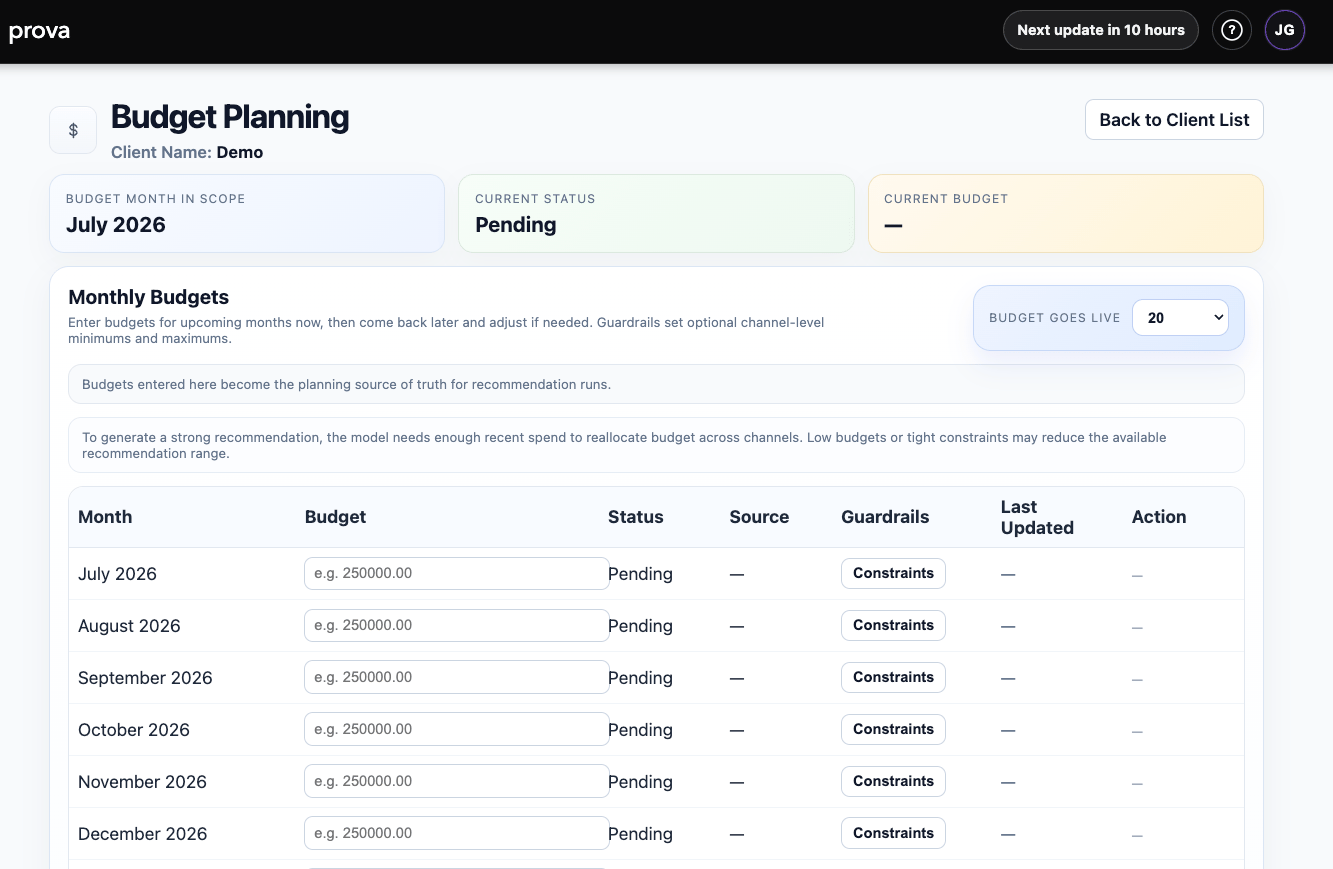
The page combines:
* month-in-scope and status cards
* current budget visibility
* budget live-date controls
* a month-by-month budget table
* direct access to channel constraints
 ## Channel guardrails
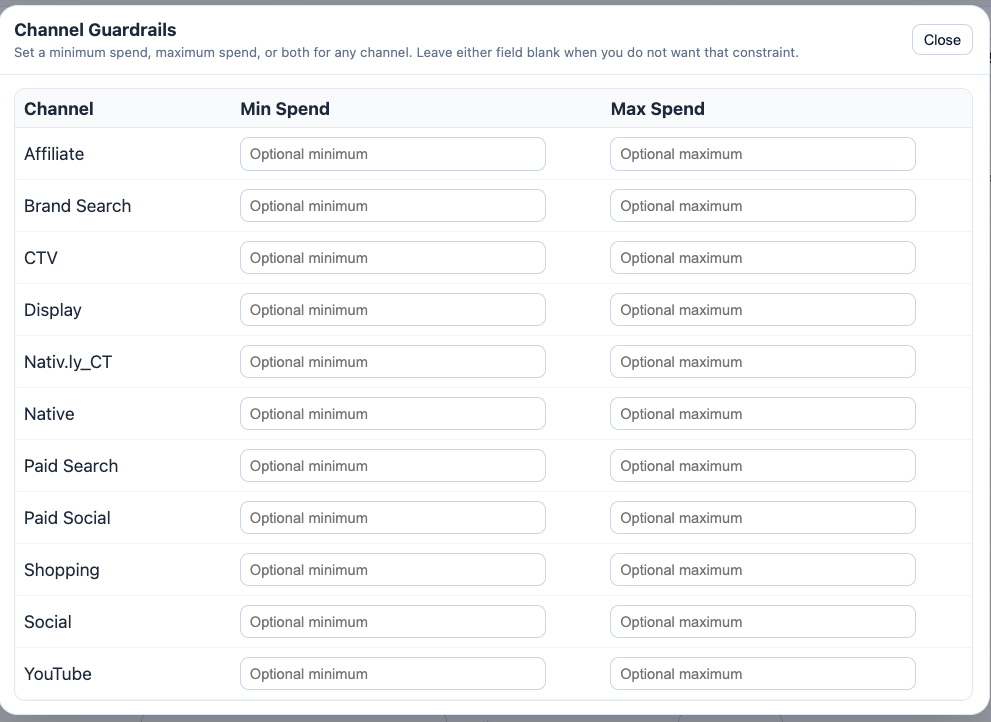
Budget Planning does more than collect a total monthly budget.
It also lets your team enter channel-level spend guardrails so recommendation output can respect real-world business requirements such as contractual commitments, minimum delivery levels, or maximum acceptable spend.
Guardrails can be set as:
* minimum spend
* maximum spend
* or both
Leave a field blank when you do not want a constraint on that channel.
## Channel guardrails
Budget Planning does more than collect a total monthly budget.
It also lets your team enter channel-level spend guardrails so recommendation output can respect real-world business requirements such as contractual commitments, minimum delivery levels, or maximum acceptable spend.
Guardrails can be set as:
* minimum spend
* maximum spend
* or both
Leave a field blank when you do not want a constraint on that channel.
 ## Budget go-live timing
You can also define the day of the month when the next budget should go live.
That setting controls when the upcoming monthly budget becomes the active planning baseline for recommendations and scenario work.
## Budget go-live timing
You can also define the day of the month when the next budget should go live.
That setting controls when the upcoming monthly budget becomes the active planning baseline for recommendations and scenario work.
 ## Why this matters operationally
This combination is important:
* monthly budget sets the overall spend envelope
* channel guardrails keep recommendations inside business reality
* the go-live day determines when the new plan becomes active
* if no budget is entered, recent actual spend becomes the fallback planning baseline
* daily revisions keep the active plan current as fresh data arrives
That means the platform is not just generating theoretical allocations. It is continuously refining recommendations against the real budget structure your team is operating under.
## Where to go next
* [Budget Recommendations](/planning/budget-recommendations)
* [Recommendations](/using-provalytics/recommendations)
* [Scenario Planner](/planning/scenario-planner)
## Why this matters operationally
This combination is important:
* monthly budget sets the overall spend envelope
* channel guardrails keep recommendations inside business reality
* the go-live day determines when the new plan becomes active
* if no budget is entered, recent actual spend becomes the fallback planning baseline
* daily revisions keep the active plan current as fresh data arrives
That means the platform is not just generating theoretical allocations. It is continuously refining recommendations against the real budget structure your team is operating under.
## Where to go next
* [Budget Recommendations](/planning/budget-recommendations)
* [Recommendations](/using-provalytics/recommendations)
* [Scenario Planner](/planning/scenario-planner)