> ## Documentation Index
> Fetch the complete documentation index at: https://docs.getprova.com/llms.txt
> Use this file to discover all available pages before exploring further.
# Spend Headroom
> A new channel-by-channel planning report for understanding where spend can scale and where it may be over the line.
## Overview
*Published: June 25, 2026*
Provalytics now includes **Spend Headroom**, a report designed to answer one of the hardest planning questions:
> How much more can this channel handle before performance drops below our standard?
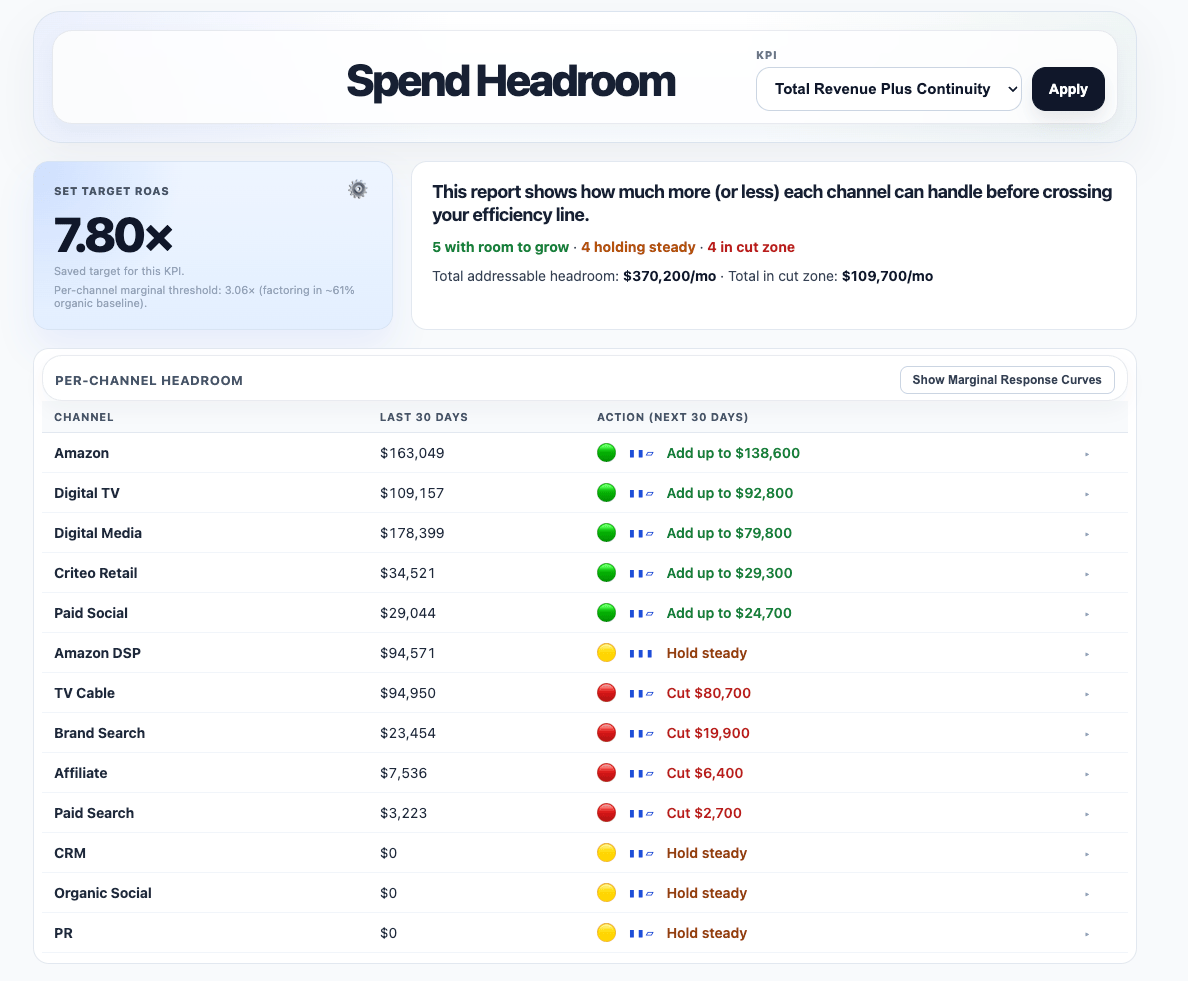
Instead of requiring users to interpret response curves directly, Spend Headroom turns the model into plain-English guidance such as:
* **Add up to**
* **Hold steady**
* **Cut back**
 ## Why this matters
This helps teams make faster channel-level planning decisions without relying on guesswork.
Spend Headroom is especially useful when you want to know:
* which channels still have room to scale
* which channels are near the line
* which channels may be overspent against a target CPA or ROAS
Each channel also includes a stoplight-style recommendation and a confidence signal so teams can see both the direction and the strength of the evidence.
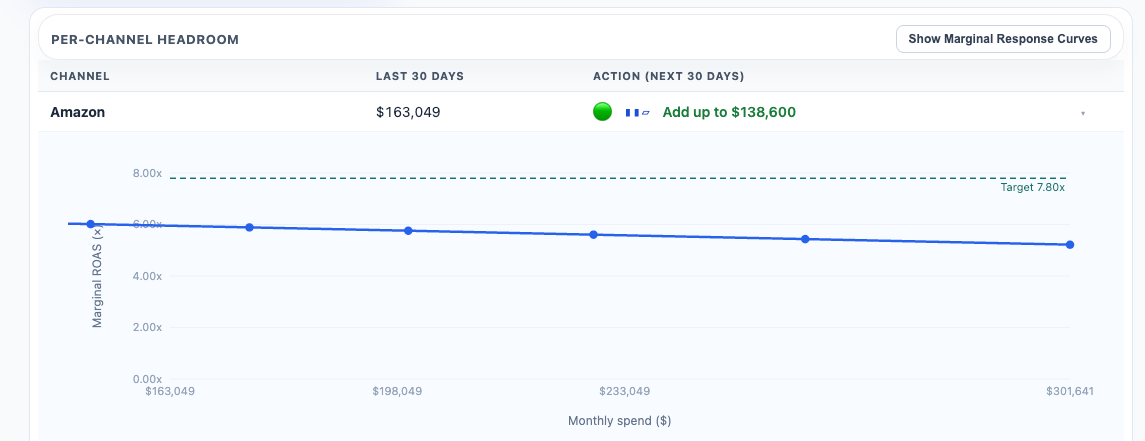
Spend Headroom also includes an expandable marginal response curve view for each channel so teams can see where projected efficiency crosses the target line.
## Why this matters
This helps teams make faster channel-level planning decisions without relying on guesswork.
Spend Headroom is especially useful when you want to know:
* which channels still have room to scale
* which channels are near the line
* which channels may be overspent against a target CPA or ROAS
Each channel also includes a stoplight-style recommendation and a confidence signal so teams can see both the direction and the strength of the evidence.
Spend Headroom also includes an expandable marginal response curve view for each channel so teams can see where projected efficiency crosses the target line.
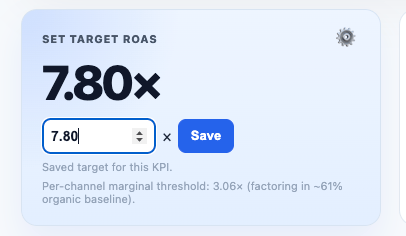
 The report uses a saved target ROAS or CPA for the selected KPI. Your CSR can set that target. If no value is saved, Spend Headroom automatically loads a default based on your ROAS or CPA over the last 30 days.
 ## Where to find it
Spend Headroom is available as a client-facing report when enabled for your account.
## Learn more
* [Spend Headroom](/using-provalytics/spend-headroom)
* [Budget Recommendations](/planning/budget-recommendations)
* [Scenario Planner](/planning/scenario-planner)
## Where to find it
Spend Headroom is available as a client-facing report when enabled for your account.
## Learn more
* [Spend Headroom](/using-provalytics/spend-headroom)
* [Budget Recommendations](/planning/budget-recommendations)
* [Scenario Planner](/planning/scenario-planner)