Overview
Provalytics supports both secure file downloads and structured delivery into downstream data environments. That means teams can either:- request a secure export file for immediate use
- or work with Provalytics on recurring delivery into a warehouse or storage destination
Secure file downloads
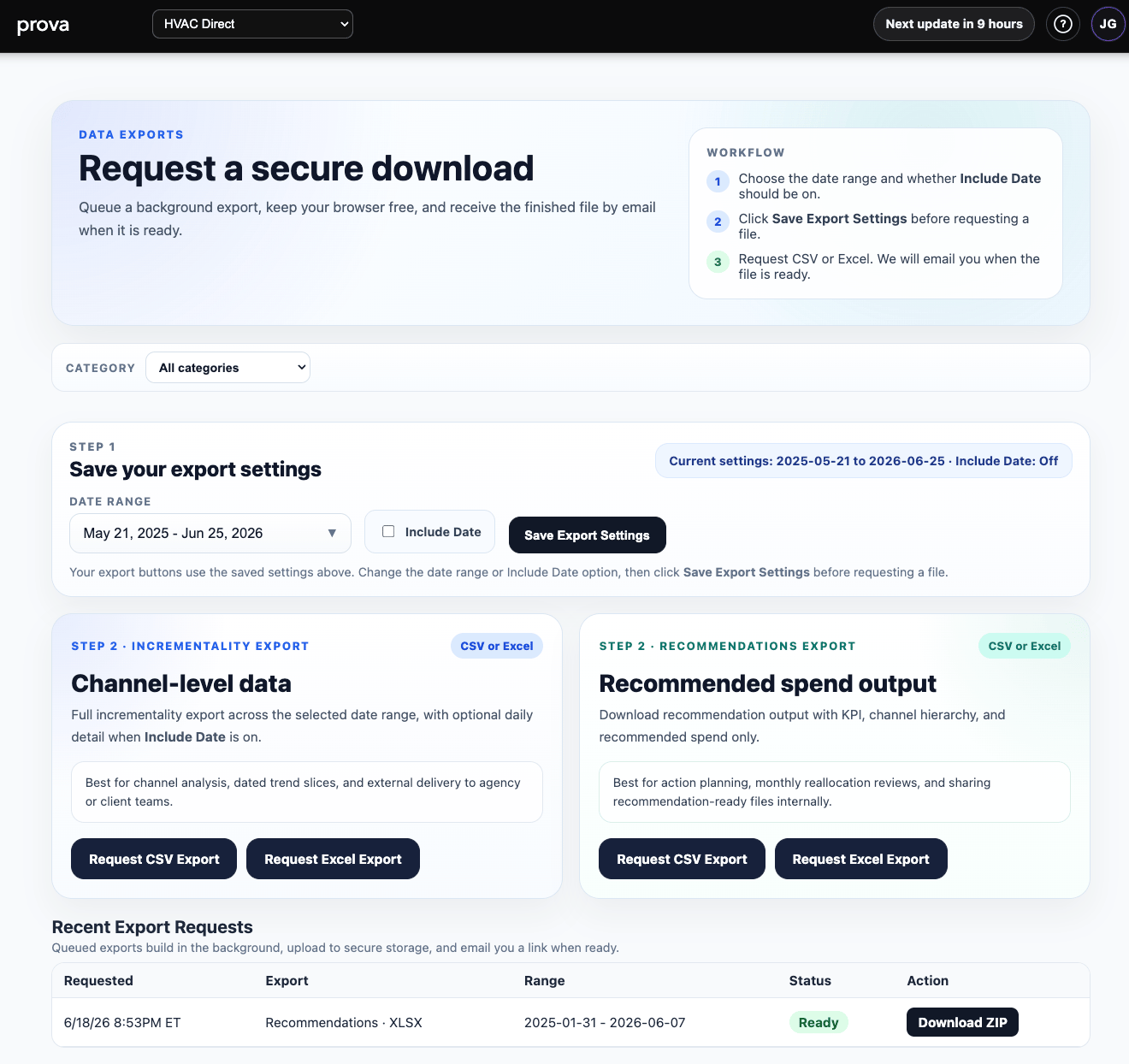
The in-product export page is designed for background export requests. In practice, the workflow is:- choose the date range and any export settings
- save those export settings
- request a CSV or Excel export
- receive the completed file when it is ready
What can be exported
Depending on the page and configuration, customers can request exports for items such as:- incrementality outputs
- recommendation outputs
- reporting views
- other structured Provalytics result sets
- share data externally
- reconcile results
- archive outputs
- load files into another workflow
Warehouse and storage delivery
Provalytics can also support delivery into downstream environments rather than relying only on manual downloads. Examples include:- BigQuery
- S3
- Snowflake
- other warehouse or storage destinations
- recurring delivery
- less manual handling
- downstream BI or warehouse workflows
- a cleaner handoff into agency or internal analytics systems
How to choose between downloads and delivery
Use secure downloads when:- you need the file now
- the request is one-off or occasional
- the export is being shared manually
- the data should land on a recurring basis
- another team needs a structured downstream feed
- you want to reduce manual export work