Overview
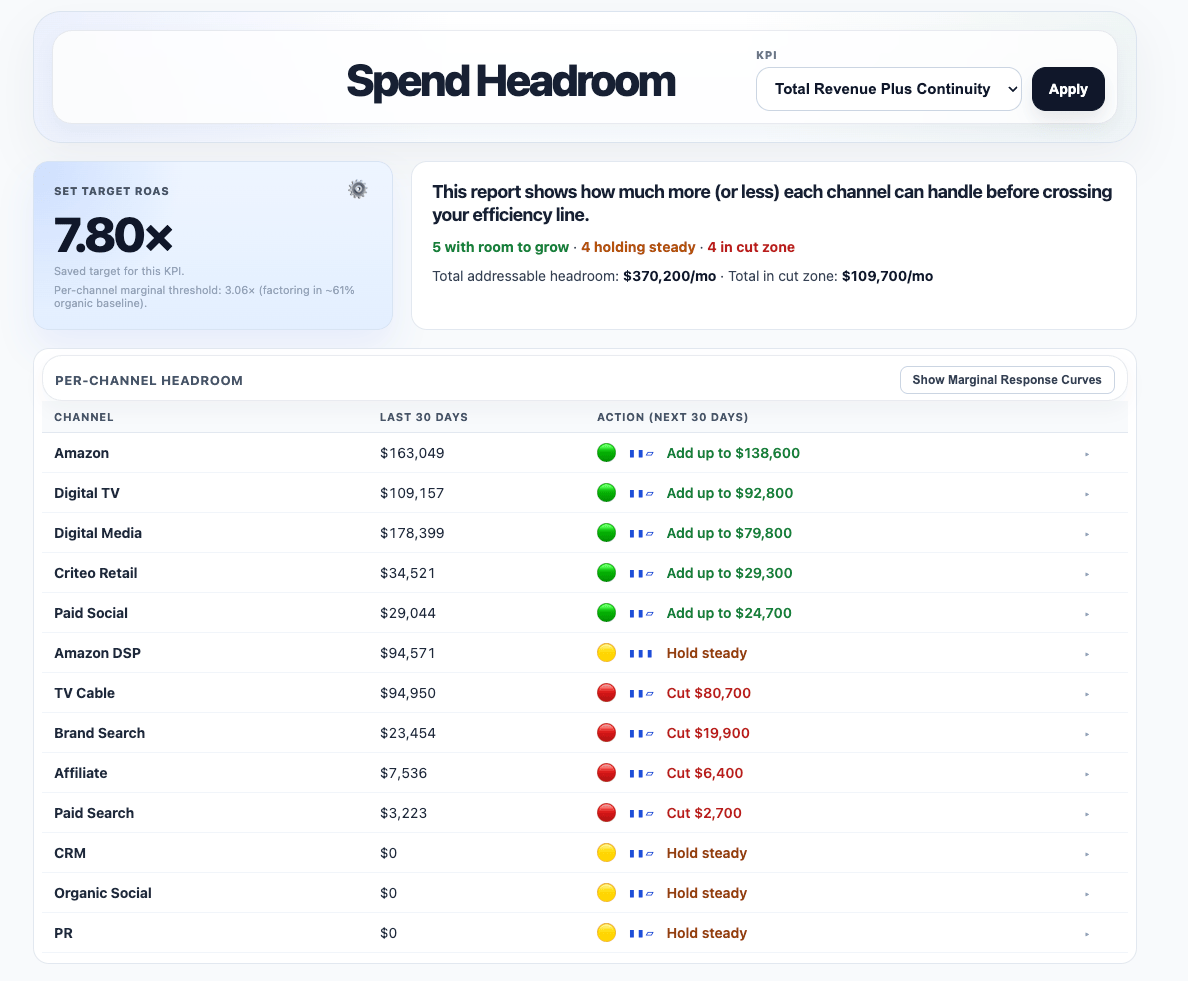
Spend Headroom answers a practical planning question:How much more or less can this channel handle before performance crosses our target?It turns modeled response curves into plain-English guidance such as:
- Add up to
- Hold steady
- Cut back
What it shows
For each channel, Spend Headroom can show:- Current spend
- Recommended action
- Target CPA or ROAS
- Stoplight signal
- Confidence indicator
- Expandable curve view
What the recommendation means
Spend Headroom is based on the channel’s marginal response curve. In plain English, it asks:What is the next dollar likely to do in this channel, and does that still meet our target?The recommendation is anchored to the point where the channel’s marginal performance crosses the target you are using, such as:
- a CPA target
- a ROAS target
Marginal response curve view
Each row can be expanded to show the channel’s marginal response curve. This lets you see how projected efficiency changes as spend increases and where that curve crosses the target line you are using.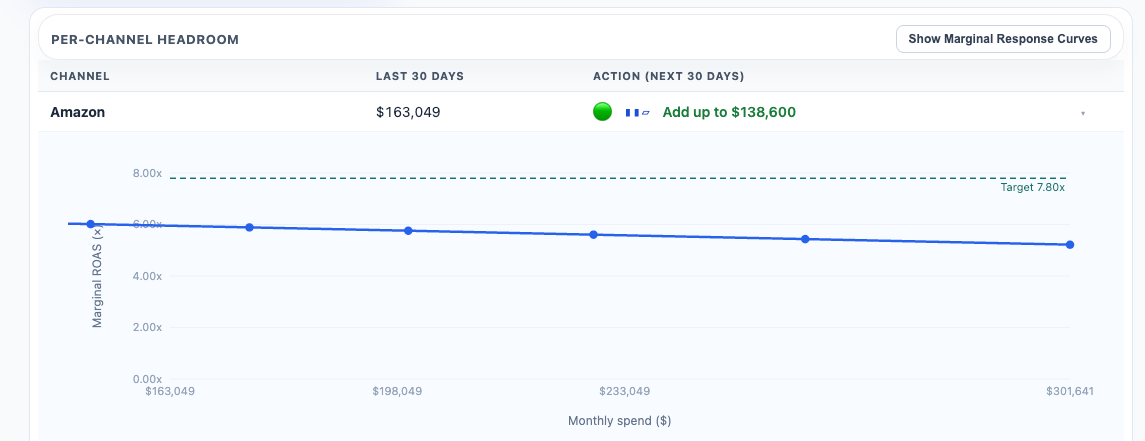
How to read the stoplight
- Green means the channel appears to have room to spend more.
- Yellow means the channel is near the target.
- Red means the next dollar may be past the target.
How to use it
Use Spend Headroom when you want a per-channel read on whether spend can scale. This is not the same as the full budget optimizer.- Spend Headroom looks at each channel individually
- Budget Recommendations look across channels within the full budget
- Scenario Planner helps you test reallocation choices across channels
Can this specific channel handle more spend without falling below our standard?
Target ROAS or CPA behavior
Spend Headroom uses a saved target for the selected KPI. Your CSR can set the target ROAS or CPA used by the report. If no target has been saved, the report automatically loads a default based on your recent performance over the last 30 days. That gives teams a practical starting point while still allowing a formal target to be set when needed.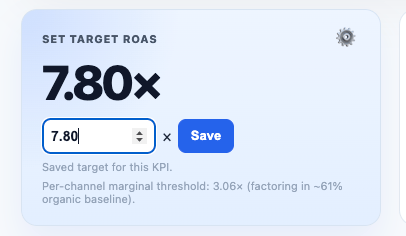
How to use the confidence signal
Not every recommendation should be treated equally. Confidence helps indicate how far the recommendation is from the range where the model has the strongest evidence. As a practical rule:- stronger confidence means the recommendation is closer to observed or simulated ranges
- lower confidence means the math projects an answer, but the evidence is weaker at that scale
Important interpretation note
A recommendation with low confidence should be treated cautiously. It may be mathematically possible, but outside the spend range where the model has stronger evidence. Also remember:- Spend Headroom is a per-channel view
- it does not tell you where the money should come from
- it does not replace broader cross-channel planning
Important planning note
Spend Headroom is meant to answer a channel-by-channel planning question. It helps you understand:- where a channel may still have room to scale
- where it is roughly at equilibrium
- where additional spend may push performance below your target