Overview
The Home Dashboard is the main landing page for a client account. It summarizes incremental marketing performance for the selected date range. Use it to understand:- Total incremental contribution
- Channel contribution
- Channel efficiency
- Performance trends
- Model validation
- Recommended next action
What the dashboard shows
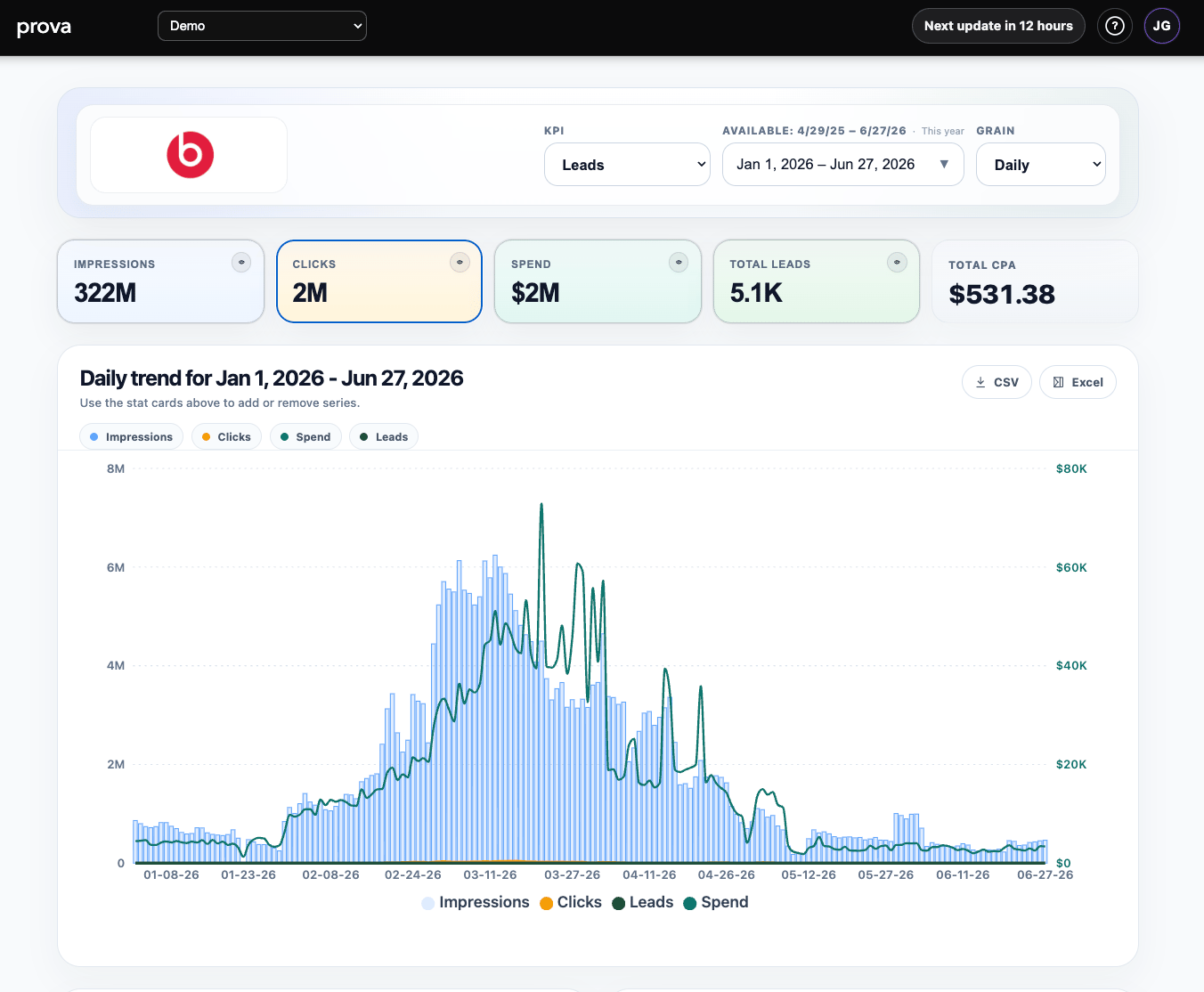
The dashboard combines the most important summary views in one place:- KPI, date range, and grain selectors at the top
- summary cards for impressions, clicks, spend, and the selected KPI
- a daily trend chart
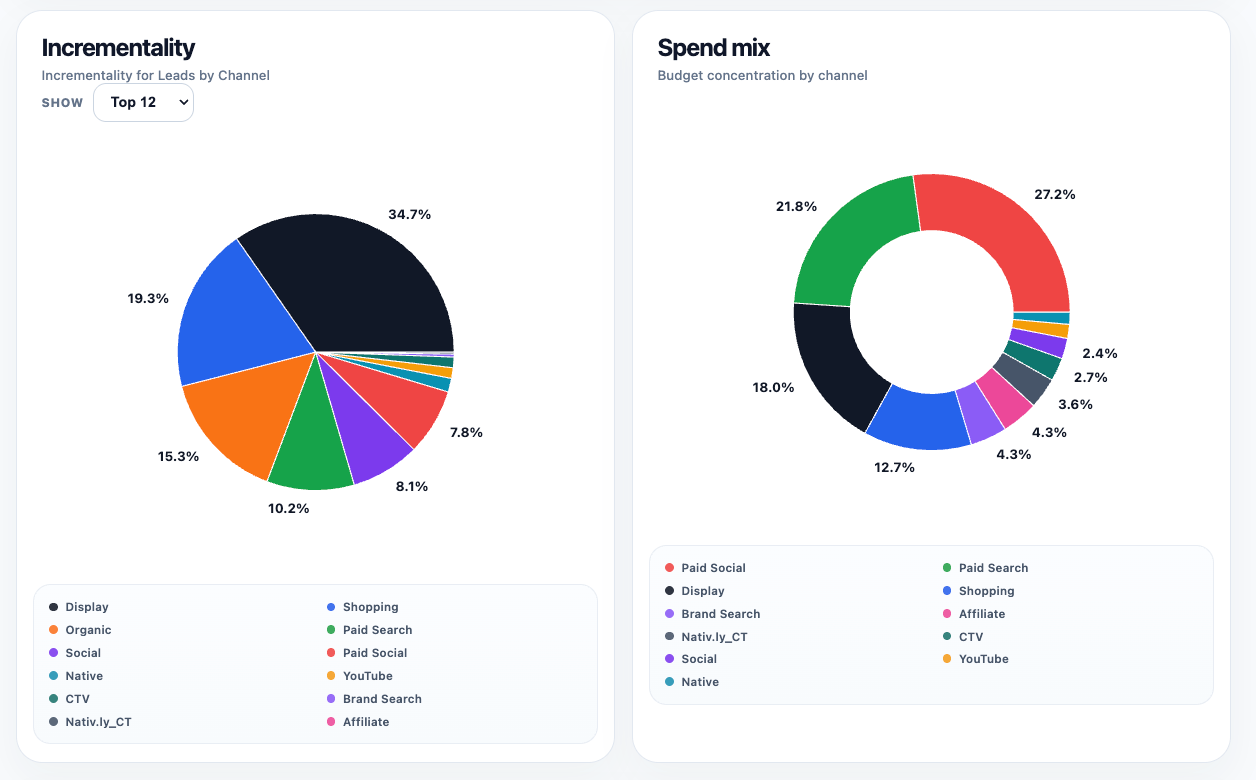
- an incrementality mix view
- a spend mix view
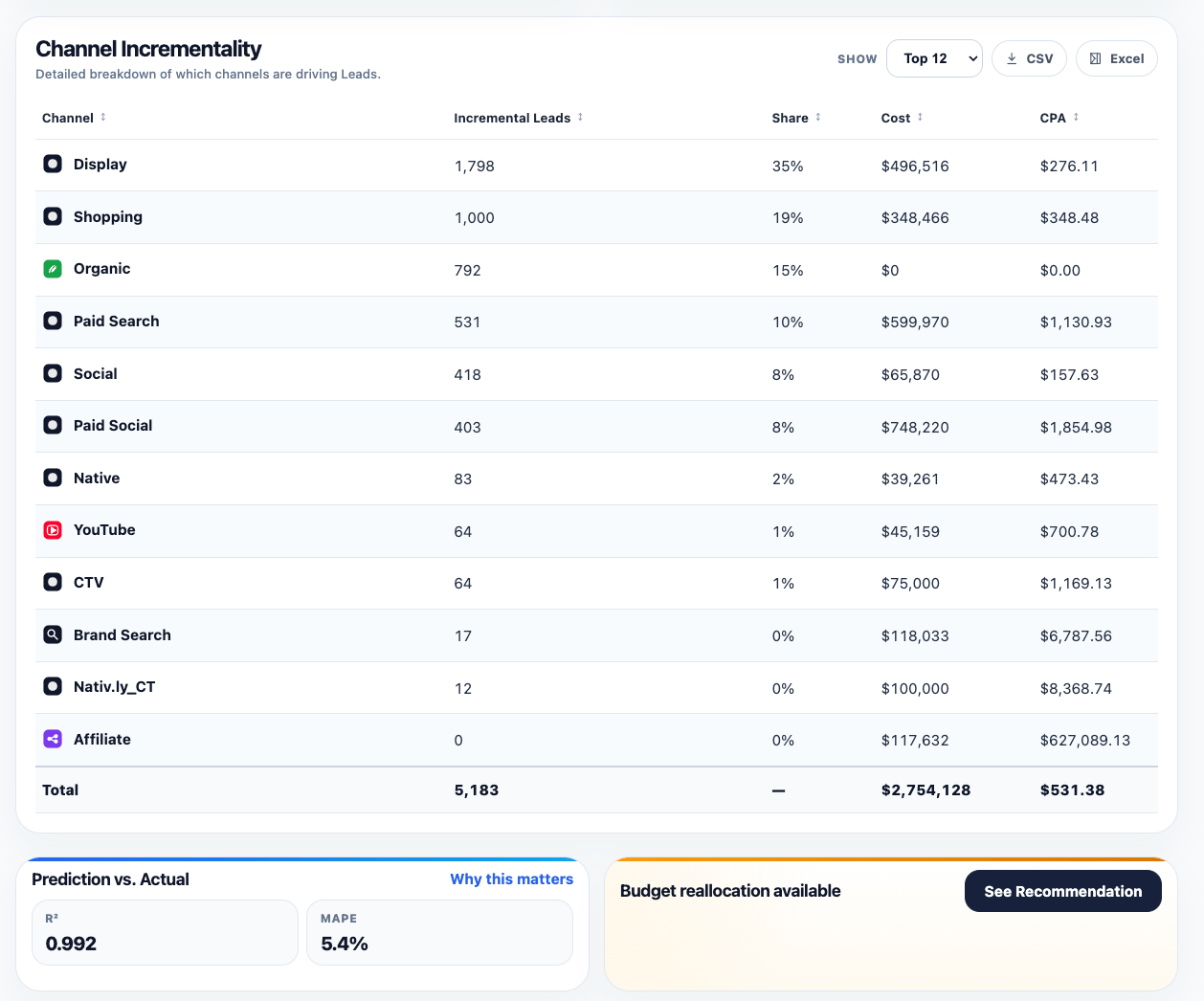
- a channel incrementality table
- a validation summary
- a recommendations card when optimization outputs are available
How to use it
Start with the KPI, date range, and grain. Then review the summary cards, trend, channel mix, validation, and recommendations in that order.Reading the top of the page
The top section sets the frame for everything else on the dashboard. Use it to:- choose the KPI you want to evaluate
- set the date range for the analysis
- switch the reporting grain
- review headline totals before drilling deeper
Reading the trend and mix views
The trend chart shows how performance changed over time for the selected KPI and selected supporting series. Use it to spot:- demand spikes
- pacing changes
- efficiency shifts
- periods that deserve deeper investigation in other reports
Reading the channel table and lower cards
The channel incrementality table is where the dashboard becomes operational. Use it to compare:- contribution
- share
- cost
- efficiency
Prediction vs. Actualgives a fast validation signalBudget reallocation availablepoints toward the next planning action when optimization outputs exist