Overview
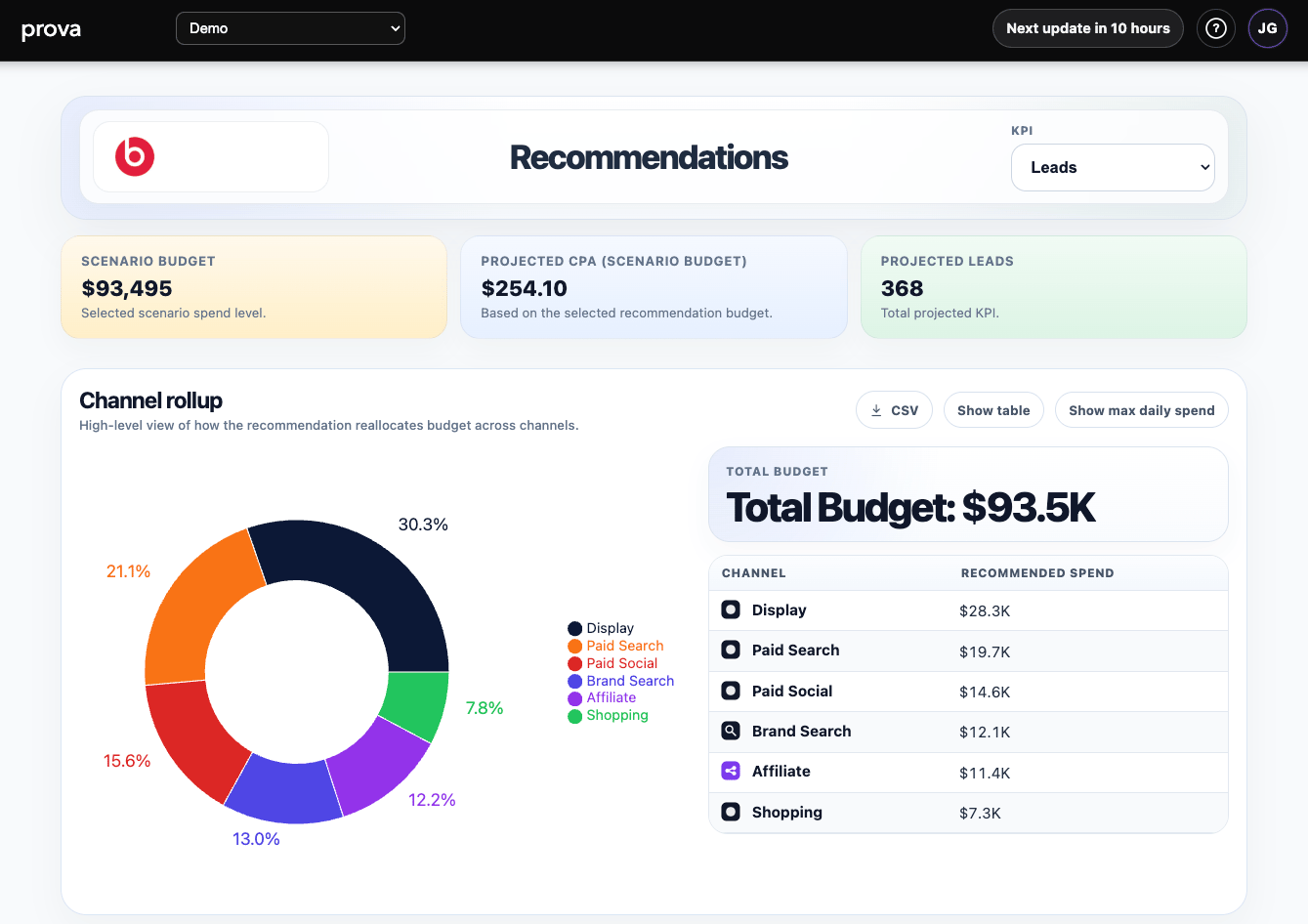
Recommendations is the model-led budget allocation page. It helps answer:Given the current model, budget level, and constraints, where should spend go next?This page turns the modeled response system into a usable channel-allocation view for planning and reallocation.
What the page looks like in practice
Recommendations is built in two layers:Rollup and recommended mix
At the top, the page shows:- scenario budget
- projected efficiency
- projected KPI output
- scenario budget options around the current plan
- a channel rollup view with the recommended allocation mix
Budget scenario range
Each time the platform creates a new recommendation and associated forecast, it also creates six additional budget-and-forecast levels around the current plan. That gives the team seven optimization views in total:Flat+10%+20%+30%-10%-20%-30%

Adjustable spend controls
Lower on the page, users can inspect or adjust channel-level spend inputs directly through sliders. This is where the recommendation becomes operational and comparable against current spend levels.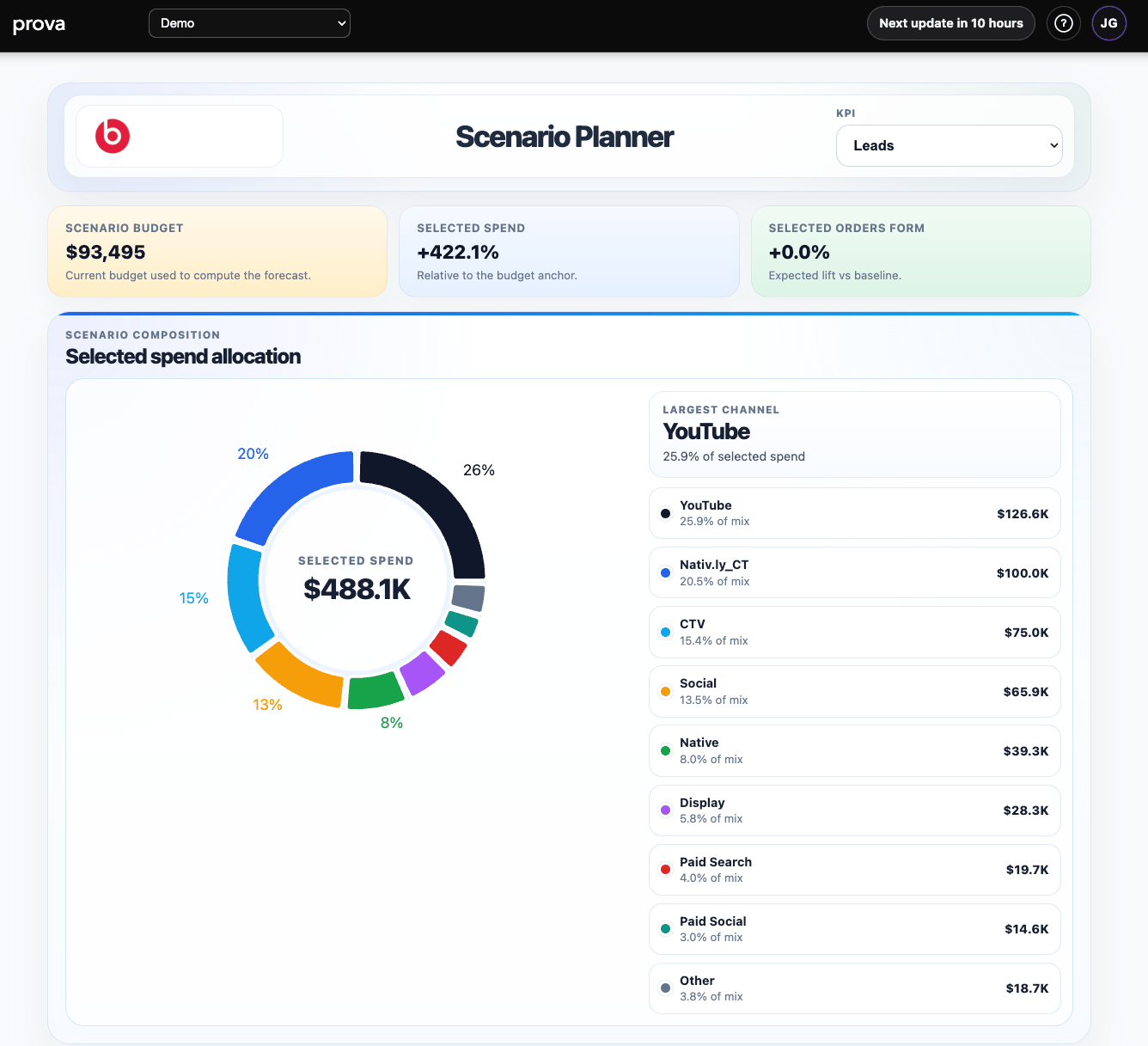
What you can do
In Recommendations, you can:- choose a KPI
- review scenario-based budget views
- compare recommendation outcomes across budget levels
- inspect channel rollups
- drill into detailed recommended allocation rows
- export both rollup and detail views
- move into Opportunity Days for timing
What the page is showing
Recommendations is designed around three layers:Scenario budget context
The page shows the selected scenario budget and, when configured, projected efficiency and projected total KPI output. Those scenario levels are intentional. In real planning environments, budgets are often mostly fixed, but marketers still face surprise changes, especially near decision deadlines. Sometimes incremental budget becomes available late. Sometimes budget is reduced with little warning. Instead of forcing users to request a brand-new model run for every small budget change, Provalytics keeps these seven optimization views ready and refreshed each time new data updates the platform.Channel rollup
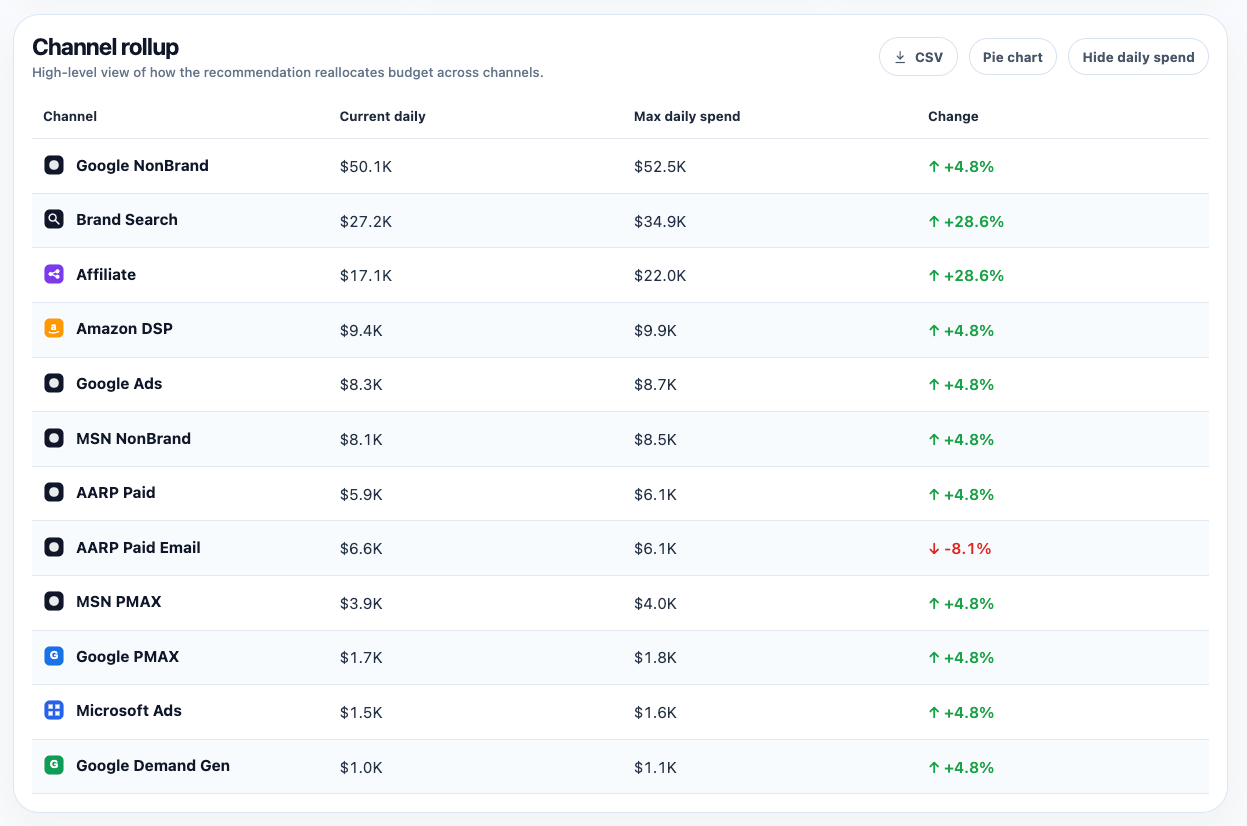
This is the high-level answer to:How is the recommendation reallocating budget across channels?At this level, the page shows:
- current daily spend
- max daily spend
- the direction and size of the recommended change
Recommended budget detail
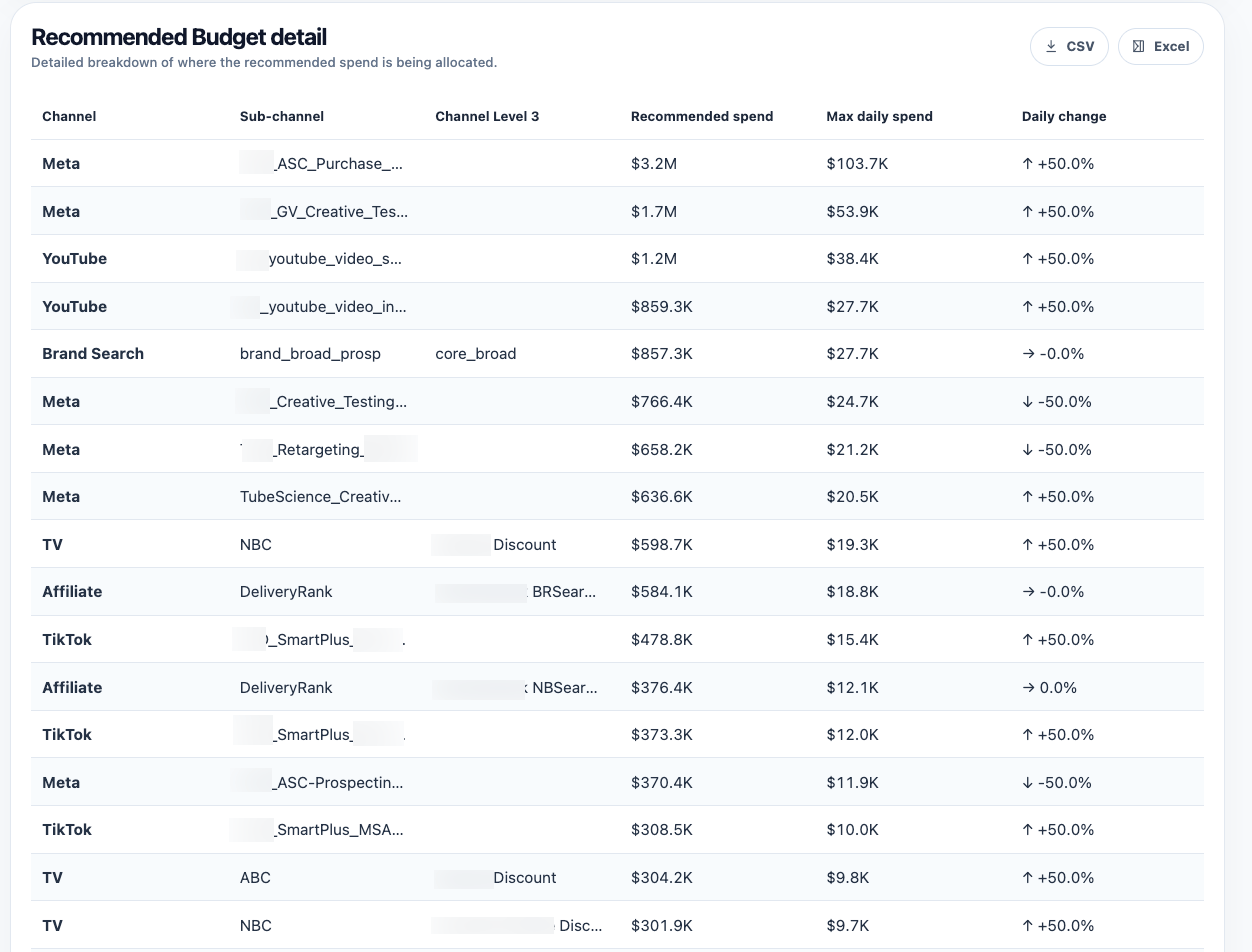
This is the lower-level view showing where recommended spend is being allocated inside the recommendation output. This is another meaningful Provalytics differentiator. Recommendations do not stop at the channel level. The platform can carry the recommendation down to the same level of granularity used in the underlying data. In many accounts, that means a hierarchy such as:- channel
- campaign
- ad group
- creative
How to interpret it well
Recommendations is best used when:- you need a model-led answer within current constraints
- you want to compare budget scenarios
- you are deciding where additional or reduced spend should go
- What if we get 10% more budget?
- What if we need to cut 20% immediately?
- If the budget stays flat, what is the best constrained allocation right now?
A practical reading rule
Treat Recommendations as a planning signal, not a command. The page is strongest when read together with: That sequence helps connect:- model trust
- business impact
- current efficiency
- next budget move
Recommendations vs Scenario Planner
Recommendations answers:What is the model’s best constrained allocation view right now?Scenario Planner answers:
What happens if we intentionally try a different plan?Use Recommendations for the model-led answer. Use Scenario Planner for deliberate what-if testing.
Important interpretation note
If a channel receives a lower recommendation, that does not automatically mean it is unimportant. It may mean:- the channel is near saturation
- another channel has better room to scale
- the chosen scenario shifts the allocation logic