Overview
Channel Halo shows how much of each channel’s measured incrementality happens immediately and how much happens later as halo. This helps answer a question that last-click reporting cannot answer well:What impact did this channel create that did not happen on the same day or in the final click path?In Provalytics, Immediate / Same Day represents the portion of impact that shows up right away. Halo represents the share of measured lift that happens after exposure and is typically missed by last-click-style reporting.
What the report shows
Channel Halo is built around two views:- Halo Impact
- Halo Efficiency
- a headline hidden-lift card
- a ranked channel view
- KPI and date filtering
- a
Show allcontrol for expanding the chart list
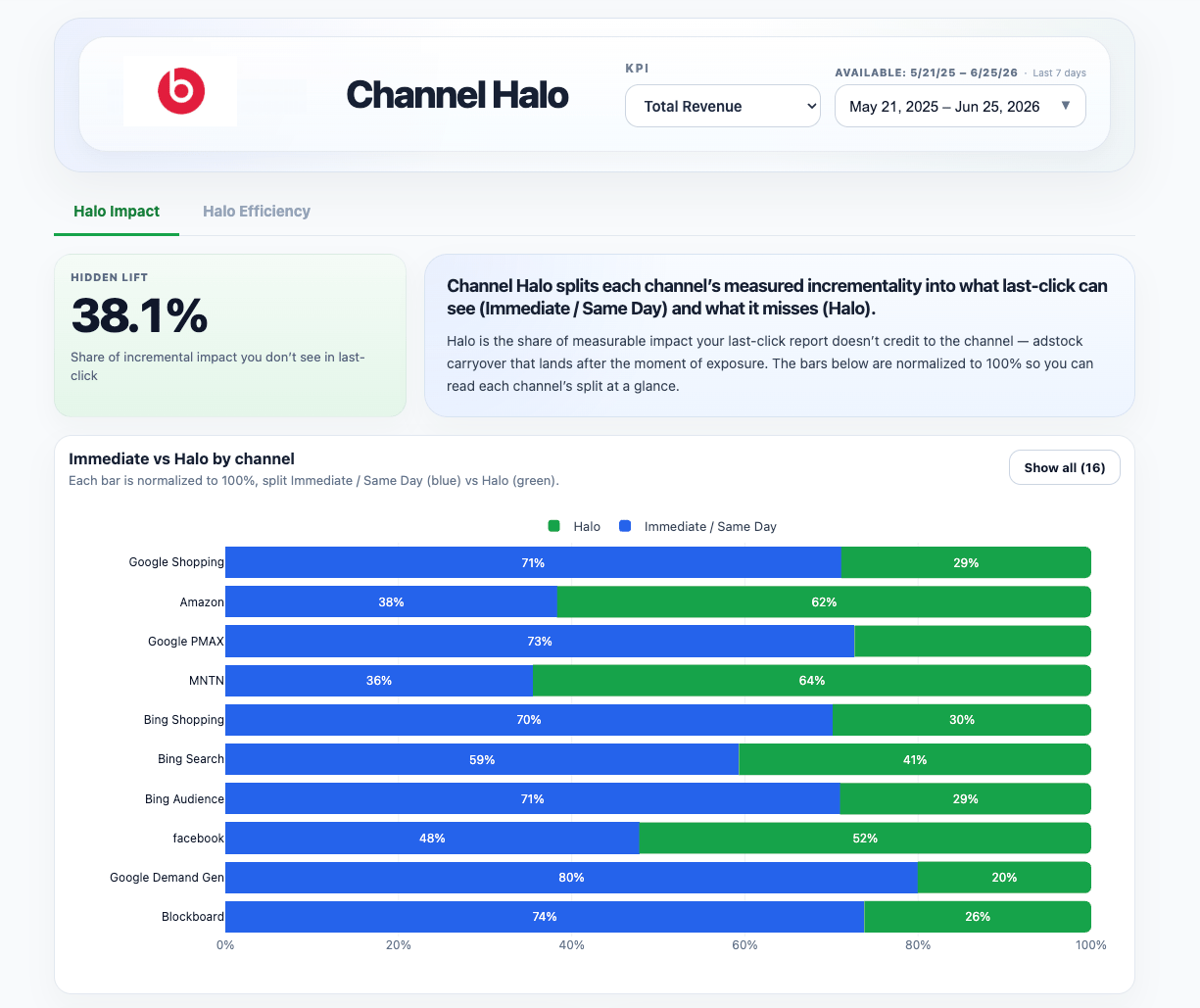
Halo Impact view
Halo Impact is the clearest summary view. It splits each channel’s measured incrementality into:- Immediate / Same Day in blue
- Halo in green
100% so you can compare the mix of immediate versus halo contribution across channels regardless of spend level.
This is the best view when the question is:
Which channels create more delayed impact than last-click can see?Use this view to spot channels that may be undervalued in click-based reporting because a meaningful share of their contribution lands later.
Halo Efficiency view
Halo Efficiency answers a different question:Which channels create the most halo lift relative to the number of impressions they deliver?In this view, the report divides measured impact by impressions on a per-1,000 basis so channels at different scales can be compared more fairly.
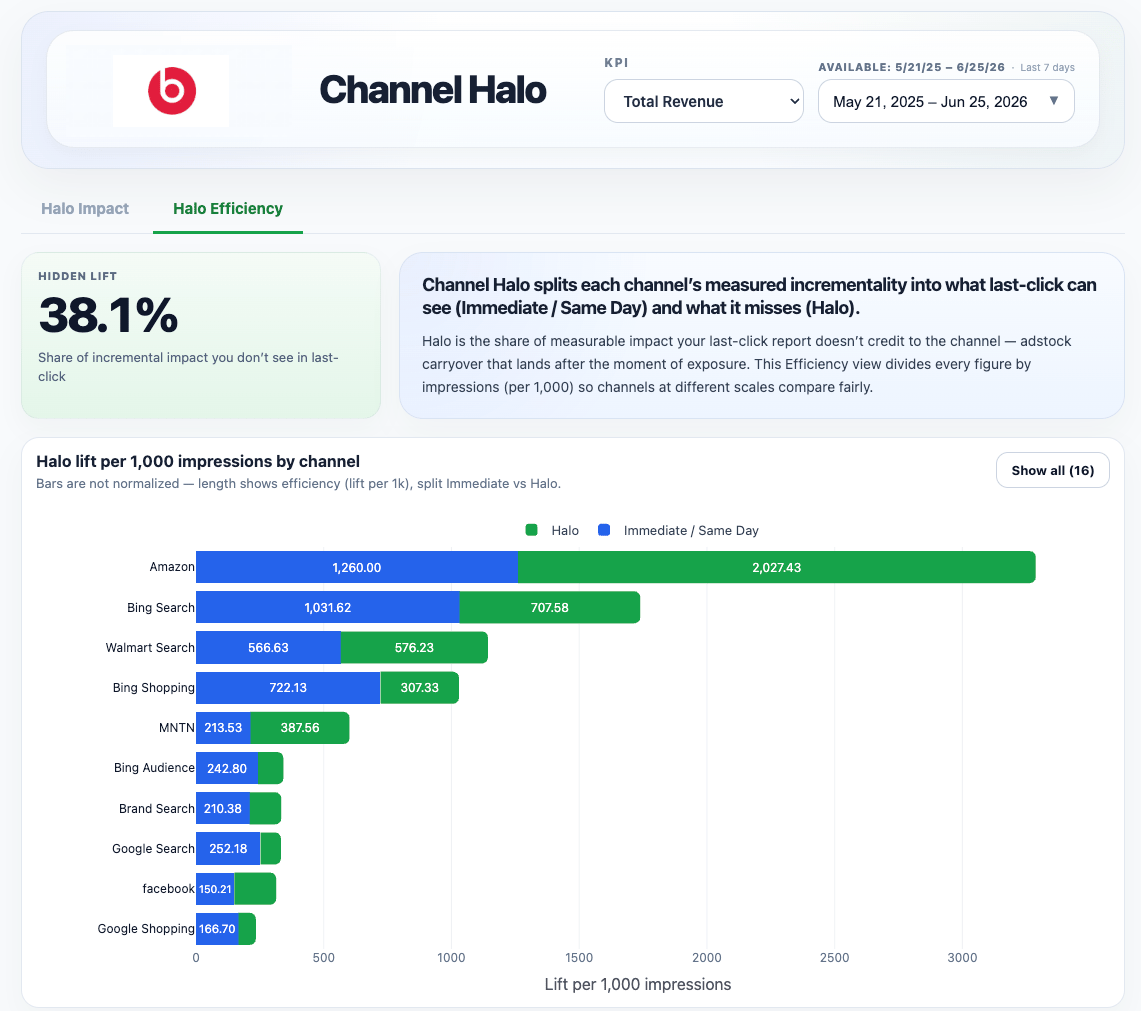
What hidden lift means
The Hidden Lift card summarizes the share of incremental impact that does not appear in last-click-style reporting. In practical terms, it helps quantify how much measured business impact would be missed if you only looked at:- final-click reporting
- same-day response
- directly captured conversions
How to interpret it
Channel Halo is best used when:- you need to explain why a channel matters beyond its immediate conversions
- upper-funnel or awareness channels are being undervalued
- a channel appears weak in last-click but stronger in modeled results
- you want to compare delayed impact across channels more fairly
A practical reading rule
Read the two views together:- Halo Impact shows the split of each channel’s measured lift
- Halo Efficiency shows the amount of lift generated per 1,000 impressions
- the composition of impact
- the efficiency of that impact
Important interpretation note
Channel Halo does not replace the rest of the reporting stack. Use it together with: That combined view helps distinguish:- channels that create delayed impact
- channels that capture demand immediately
- channels that do both