Overview
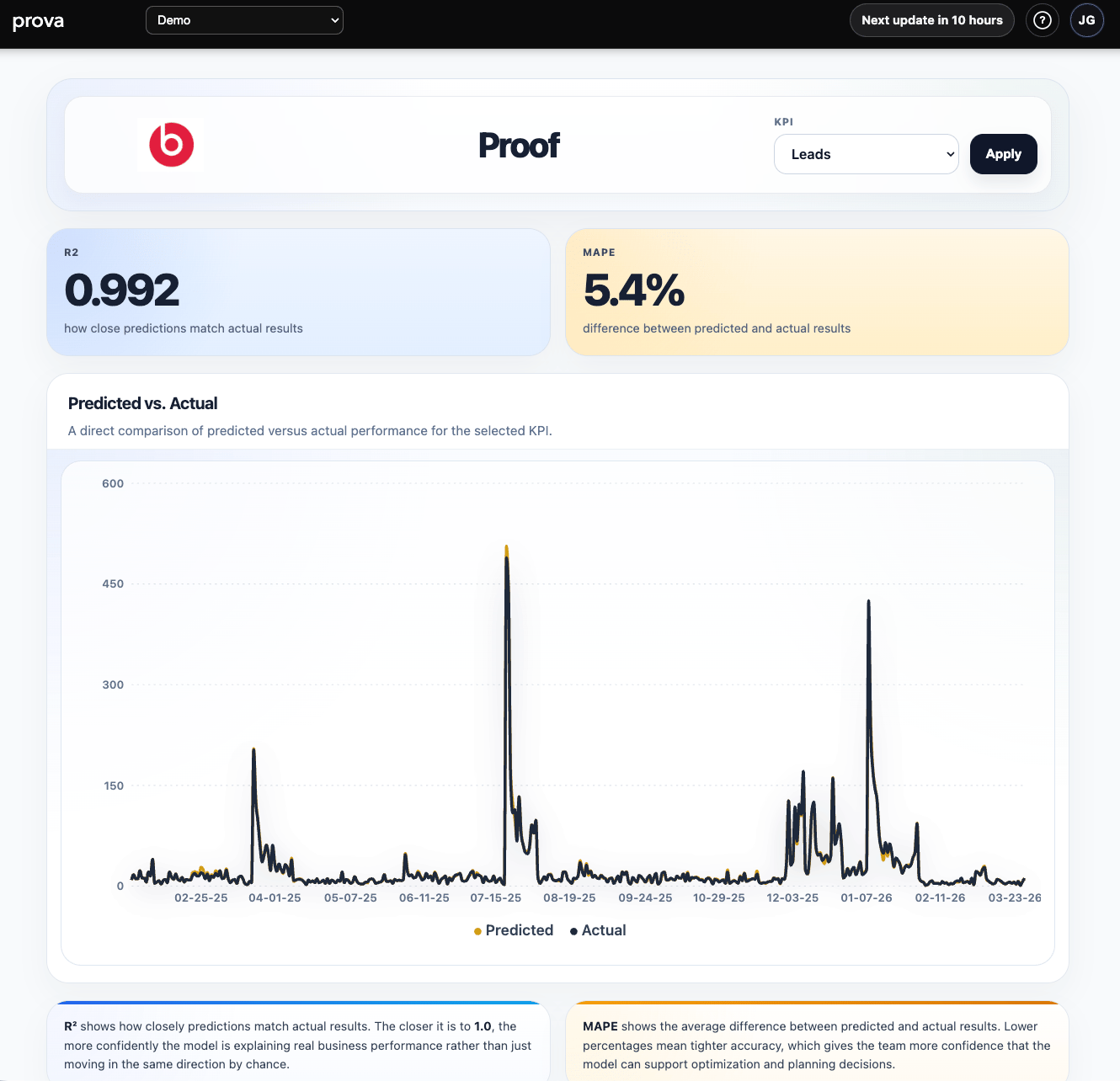
The Proof Report is Provalytics’ validation view. It shows how closely the model’s predicted results match the actual results for a selected KPI, so teams can judge whether the model is reliable enough to support planning, optimization, and reporting decisions. In practical terms, this is where Provalytics answers:How much should we trust the model for this KPI right now?
What you can do
In the Proof Report, you can:- Switch between KPI models
- Review the latest validation metrics for the selected KPI
- Compare predicted versus actual daily performance
- See whether the model is tracking the business outcome closely enough to support decision-making
What the report looks like in practice
The page is intentionally simple:- KPI selector
- R² card
- MAPE card
- predicted-versus-actual chart
- interpretation panels explaining what each validation metric means
What the key metrics mean
Proof is centered on two validation metrics:- R²: how closely the model’s predictions track actual results
- MAPE: the average difference between predicted and actual results
- higher R² usually means the model is explaining the outcome more convincingly
- lower MAPE usually means the model is staying closer to the actual values
How to interpret it well
Use Proof when you want to answer:- Is this KPI model trustworthy enough to use in budget conversations?
- Is the model broadly matching reality, or drifting away from it?
- Did the latest run improve or weaken validation quality?
- Are the results strong enough to rely on for optimization and planning?
A practical reading rule
Do not treat validation as a binary pass/fail label. Instead, use the report to judge:- whether the model is stable enough for the decision you need to make
- whether you should interpret results with high confidence or more caution
- whether a KPI should remain part of active optimization or needs more review
Why this report matters after each run
Every new model run is an opportunity to improve or weaken the validation picture. That means Proof is not just a setup report. It is part of ongoing governance. Teams use it to confirm that the latest run still supports:- reporting confidence
- planning confidence
- optimization confidence
What this report is best for
Proof is especially useful for:- validating a newly refreshed model
- explaining model confidence to leadership or clients
- checking whether a KPI is ready for optimization decisions
- comparing confidence across KPI models
Important interpretation note
Strong validation does not automatically mean every recommendation is right. It means the model is doing a better job of explaining observed business performance. Use Proof alongside: That combination helps connect:- model trust
- observed business impact
- recommended next actions