Overview
The CPM report shows how efficiently your paid media budget is buying reach. CPM stands for cost per 1,000 impressions. In Provalytics, this report turns that basic metric into a more useful planning and benchmarking view by combining:- blended CPM
- channel-level CPM
- trend over time
- prior-year comparison
What you can do
In the CPM report, you can:- Review blended CPM for the selected time window
- See current CPM trend over time
- Compare current CPM against the prior-year period
- Compare CPM by channel
- Review impression share by channel
Did the channel convert?but:
How efficiently are we buying audience reach?
What the page looks like in practice
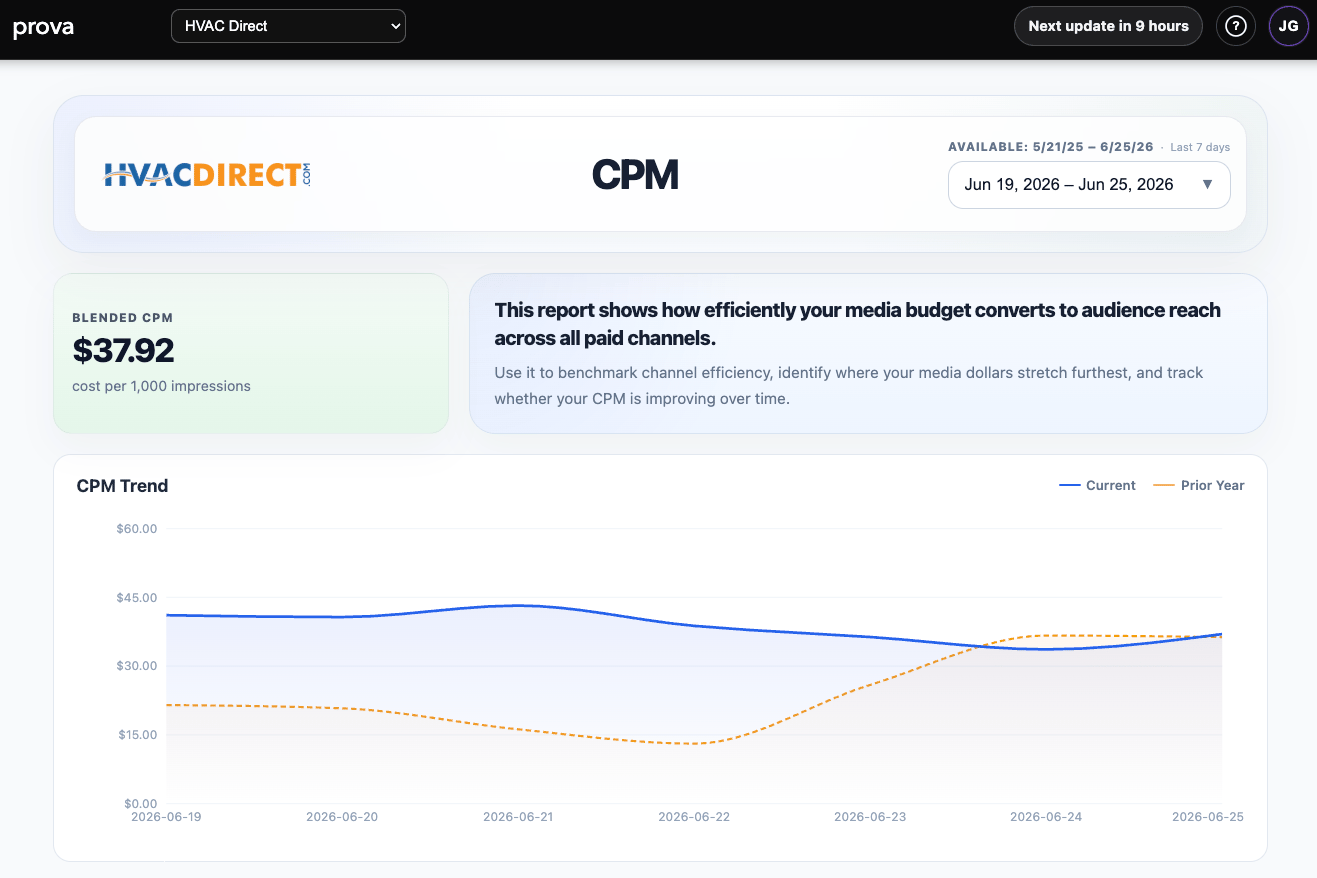
The CPM report is easiest to understand as two connected views:Overview view
The top-level page gives you:- a blended CPM card
- a short explanation of what the report is measuring
- a current-versus-prior-year trend view
Detail view
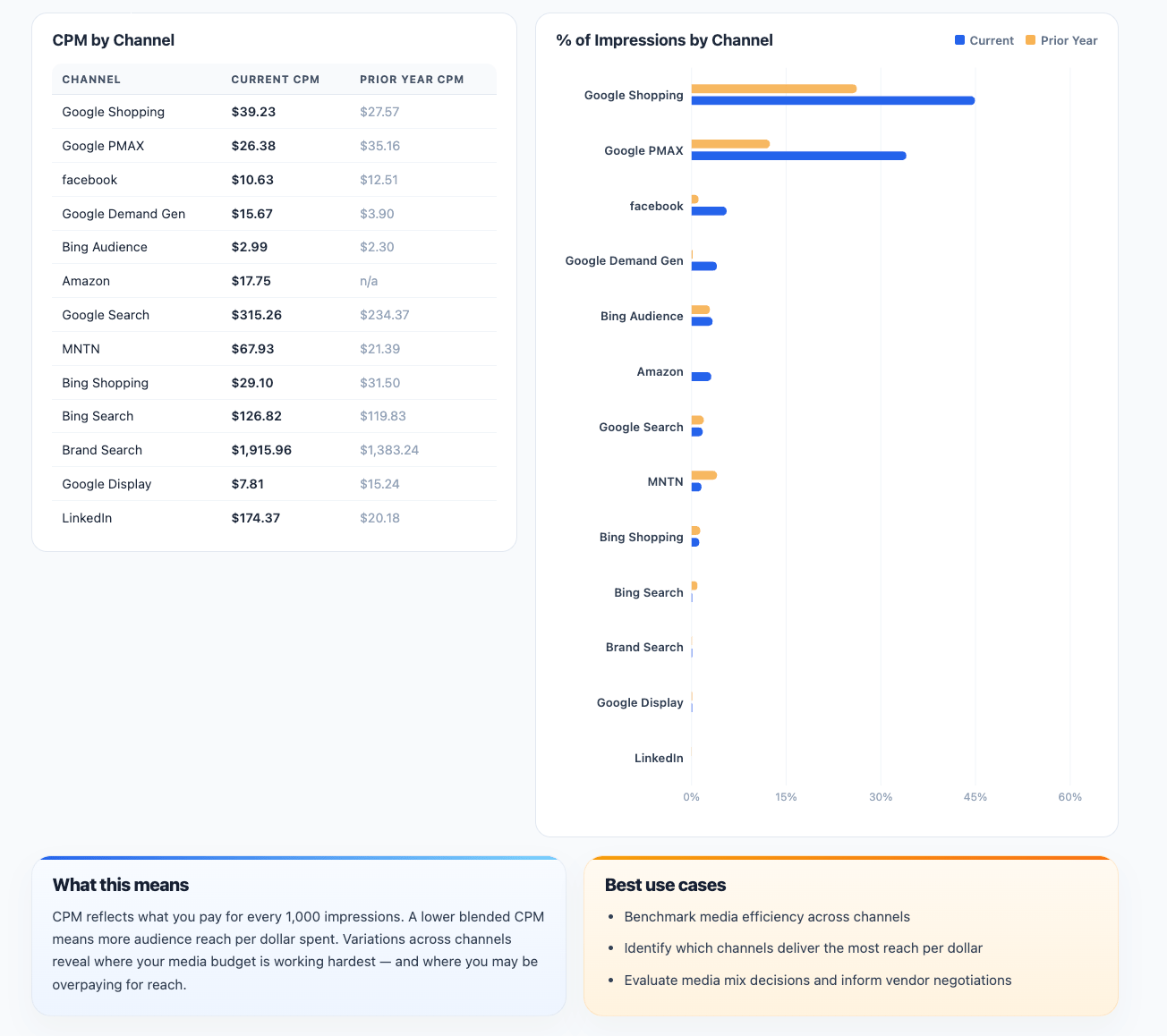
The lower-level view expands into:- a table comparing current CPM vs prior-year CPM by channel
- a chart showing each channel’s share of impressions
What the report is showing
The report gives you three useful lenses:Blended CPM
This is the overall paid media CPM across the selected period. It helps teams understand whether media costs are generally becoming more or less efficient from a reach perspective.CPM Trend
This view shows how CPM is moving over time. That makes it easier to spot:- rising media costs
- seasonal cost shifts
- short-term efficiency improvement or deterioration
CPM by Channel
This shows how expensive each channel is relative to the impressions it delivers, with a current-period view and prior-year comparison. That helps reveal where your budget is stretching furthest and where reach may be getting more expensive than expected.How to interpret it well
A lower CPM usually means more reach per dollar. But lower CPM does not automatically mean better business performance. A practical reading rule is:- use CPM to understand reach efficiency
- use incrementality and efficiency reports to understand business impact
What this report is best for
CPM is most useful for:- benchmarking paid media cost efficiency
- media mix reviews
- vendor and platform cost conversations
- identifying whether reach is getting more expensive over time
- comparing current economics with the prior year
Important interpretation note
CPM is a cost-of-reach metric, not a proof-of-impact metric. Use it together with: That way you can judge both:- what audience exposure costs
- and whether that exposure is creating meaningful business results